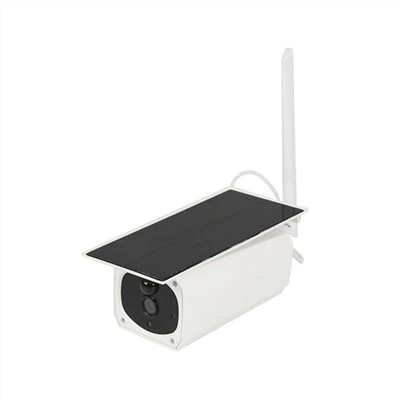
Custom Home Security Camera Manufacturer
SURE SAFE TECHNOLOGY CO., LTD. has been one of the leading CCTV systems solution and service suppliers for many years. The company specializes in wind and solar hybrid monitoring systems at present, aiming to deliver cost-effective and fit-for-purpose solutions.
Why Choose Us
Rich Experience
We have 10+ years of experience in CCTV system solutions. With extensive knowledge in developing CCTV cameras, we have our own SMT chip placement machines and injection molding machines and can customize camera designs for customers.
Wide Product Range
We specialize in CCTV systems and CCTV cameras, including wind and solar hybrid monitoring systems, home monitoring systems, car monitoring systems, nanny monitoring systems, low-power solar cameras, 4G cameras, hidden cameras, etc.
Professional Service
We guarantee that each order will be strictly inspected before shipment. At the same time, if customers have any after-sales requirements, we will provide improvement measures and the best solution as soon as possible.
OEM & ODM Available
OEM & ODM orders are very welcome. Our professional engineering team work on developing OEM&ODM camera and the quality of our products are always met by our clients. There are around 40 new cameras launched every year.

4G Solar Panel Security Camera
Thanks to its 4G connection, this camera can be placed anywhere without the need for a WiFi network or Ethernet connection. This makes it perfect for remote locations where internet connectivity may be unreliable. You can even live stream the footage from the camera to your smartphone or tablet, no matter where you are.

Motion Detection Surveillance Camera With 4G
Motion Detection Surveillance Camera with 4G is an innovative product that integrates motion detection and 4G technology. This camera comes with infrared sensors that can detect movements within a specified range and send an alert to your smartphone or computer when motion is detected.
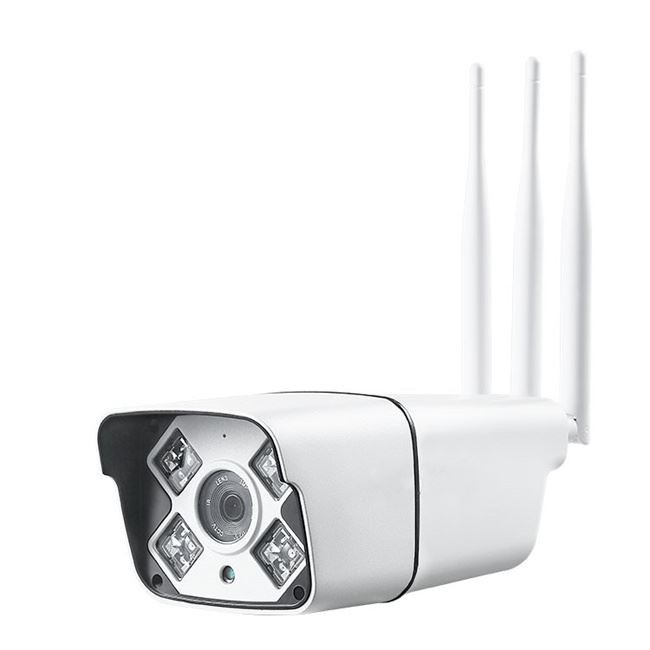
Solar Battery Powered IP Camera
Solar Battery Powered IP Camera is incredibly easy to install and set up. Simply mount the camera in your desired location and connect it to your Wi-Fi network. From there, you can view the live feed from your camera on your smartphone or tablet.

Mini Hidden Security Camera features advanced motion detection technology that alerts you when there is movement in the room. This feature can be customized to send notifications to your phone, email, or other device, which means that you are always aware of what is happening in your home or office.

USB Charger WiFi Hidden Spy Camera
The camera supports loop recording, which means that it will automatically overwrite the oldest footage when the memory card is full. This ensures that users always have access to the most recent footage, without having to manually delete old files.

4g Outdoor Waterproof Solar Camera
One of the key features of this camera is its solar-powered operation. With its built-in solar panel, this camera can generate its own power, making it completely self-sufficient and highly energy-efficient.

The camera is equipped with a 1080p HD resolution, which captures stunningly clear and crisp footage. This makes it perfect for a wide range of uses, such as security surveillance, recording important meetings, or even as a personal vlogging camera.

Spy Pen Camera with 32GB can store up to 80 hours of video recording, which is more than enough to capture the required footage without any hindrance. This feature makes it convenient for merchants who need to capture footage regularly.

Portable Invisible DV Video Camera Pen
One of the most striking features of our Portable Invisible DV Video Camera Pen is its sleek and stylish design. The camera pen comes in a variety of colors and styles, allowing you to choose the perfect match for your brand or customer's preferences.
A home security camera is a video recording device that captures footage of your home and property that you can view on a smartphone, tablet, or computer from anywhere using an internet connection. Most home security cameras are motion-activated and will record when they detect motion, as well as send you an alert. Some can record 24/7, which is known as continuous video recording (CVR). There are two types of security cameras: wired and wireless. Wireless security cameras use Wi-Fi to transmit surveillance footage to a cloud-based server over the internet. This allows you to view the footage on any internet-connected device. Note that many wireless cameras are not entirely wireless because they need to be plugged into AC power via a power cable, although some use rechargeable batteries instead.
There are a few different ways to approach the different types of security cameras, either by location, where you put them in your home or business, by power, how they receive power, by connectivity, whether they require Wi-Fi or cellular signals, by the way they record footage, whether locally or on a cloud, or by their design.
By Location
*Indoor Cameras: Indoor cameras, which typically cost around $100, should be placed on the ground level of your home at the very least. Avoid private areas like bathrooms or bedrooms, but cover any area that's easily accessible, like a front hallway, or any area that's central to your home, like a living room. Indoor cameras are more likely to be plug-in than outdoor cameras, which may not be near an outlet. Most indoor cameras require Wi-Fi or an internet connection, except a few that connect and record directly to a DVR or NVR. And even most NVR - and DVR-connected cameras these days connect to the internet to provide you with remote alerts.
*Outdoor Cameras: Outdoor cameras, on the other hand, tend to cost around $200. The reason? They come with weather-resistant cases so that they can withstand large temperature ranges as well as various solids and liquids, be it rain, snow, hail or dust. Unlike indoor cameras, outdoor cameras are more likely to be wireless - meaning that they're powered by batteries and connect to Wi-Fi - due to fewer outdoor outlets. But one thing that is important to note is that wireless cameras may still require the internet.
*Video Doorbells: Video doorbells are another type of outdoor cameras used specifically on front doors. Otherwise known as doorbell cameras, they may include a chime or replace an existing doorbell setup so people can see and speak to their guests remotely through a mobile application or smart home device.
By Power
*Wired Cameras: Wired cameras, typically indoor, have the advantage of never requiring us to replace their batteries; rather, they're either plugged in or hardwired into our home. However, the disadvantages are there as well; one, we don't love adding more wires to our already connected smart home, and two, if our power or Wi-Fi goes out, which occurs more often than we'd like, the camera may not be able to connect to our app.
*Wireless Cameras: Wireless cameras are much easier to install than wired cameras, but of course, we had to take battery life into consideration; a year is a reasonable time period for a camera to last, in our opinion. While some batteries are rechargeable, some we have to replace completely every so often. Some outdoor cameras come with solar panels, meaning that they charge continuously from the sun, never requiring a battery change.
By Connectivity
*WiFi-Connected Cameras (Digital or IP Camera): These days, most security cameras are WiFi-connected, meaning that they have a corresponding app that allows us to livestream footage, receive motion or person-activated notifications, and control our camera remotely. This took our home monitoring from local only to remote; we could literally see what was going on at home from anywhere in the world, so long as it had Wi-Fi. For the most comprehensive monitoring, we recommend getting a smart security camera, meaning it's connected to the Internet.
*Cameras That Don't Require WiFi (Analog): If you don't have Wi-Fi, there are still cameras that'll work for you. Most record directly onto either a micro-SD card or hard drive, so while we couldn't livestream footage, we could see what went on in retrospect by downloading the local storage onto a device like our computer.
By Recording
*Digital Video Recorders (DVR): DVR cameras are typically analog cameras, meaning they're not Wi-Fi-connected; they're usually part of wired security systems. Typically, the camera connects to a hard drive via a coaxial cable.
*Network Video Recorders (NVR): The majority of NVR cameras are Wi-Fi-connected, otherwise known as IP or Internet Protocol cameras. These cameras can either be wired or wireless. If they are wired, they likely use Ethernet cables rather than coaxial cables.
*Cloud Recording: Cloud recording refers to off-site footage recording through a cloud server operated by the camera manufacturer or a third-party. Some older IP cameras can use your own cloud storage (e.g. Google Drive, OneDrive, etc.), but most cameras nowadays use their own subscription-based cloud storage. That is, you pay the company monthly or yearly to store videos in the cloud. The advantage of cloud storage is that you can view your footage anywhere with an internet connection, and if your camera gets destroyed, you'll still have access to its recordings.
By Shape
*Bullet: Bullet cameras, usually wireless, are good for securing on rooms' corners for the most coverage.
*Dome: A bit harder to install than bullet cameras, dome cameras have the advantage of being hard to steal, as they're placed on ceilings. They also provide a wider field of view than a regular camera due to their spherical design.
*Pan, Tilt or Zoom: Sometimes, we don't want to be limited to a camera's field of view, which is where panning, tilting and zooming comes in. This gives us more freedom to see exactly what we want to see, and the best cameras can pan all the way around for total coverage.
*Box: A box camera is exactly what it sounds like, a camera shaped like a box. These aren't super common when it comes to smart home security and were more popular during the late 1800s and early 1900s.
*Hidden: Also relatively self-explanatory, hidden cameras are designed to look like other objects, be it a pen, teddy bear, or simply a camera small enough to remain unnoticed. We don't recommend getting hidden cameras, as visible cameras can be a deterrent to would-be burglars.
*Turret or Eyeball Camera: Looking pretty similar to a dome camera, a turret camera has the best of both worlds, as we could position the camera in any angle we wanted in a theft-resistant setup.
Features of Home Security Cameras
High-Definition (HD) Video Capture
Gone are the days of grainy, choppy safety footage. Most advanced safety cameras come with at least 720p resolution, and it is even possible to upgrade to 1080p. With HD video recording, you get a clear image to see exactly what is going on in the camera's field of view.
Security Camera with Two-Way Audio
You can now alarm system installation that comes equipped with a speaker and a microphone for two-way audio. With this feature, the person monitoring the video can communicate with the person or people in front of the camera.
Night Vision and Low-light Recording
With a WiFi night vision outdoor security camera installation that can still record clear images in the dark, it is much easier to protect your home or business at night. Some night vision cameras use image intensifiers to amplify the ambient light that is in the frame. Other low-light surveillance cameras may use infrared light to provide a clear image in the dark.
Cloud Storage
One option for storing the video is to buy a DVR, but you do not have to be limited to the storage space you can house on-site. With great wireless outdoor security camera systems that connect to the internet, you can upload all of your safety footage to a security camera with cloud storage service. That not only means that you get more storage space, but it also means you can check your camera feeds from anyplace you have access to the internet. Furthermore, it's better for security camera service. With cloud storage, an intruder cannot destroy the evidence of their crime by stealing the DVR or tape.
Wireless Communication
The need to run a wire can be limiting when installing home safety cameras. With newer wireless cameras, you have more placement options, and it also makes installation easier. Additionally, you can move the cameras around if you feel like you need to. Wireless camera systems can provide 24 hours of camera service that connects easily with your alarm system, and they use advanced encryption to protect the signal.
Remote Monitoring
With the new cameras that connect to the internet, you can monitor your video at any time. As long as you have an internet connection, you can use an app on your phone, tablet, or laptop to view the camera feeds. You can use this feature to check on the kids when you are at work, or you could use it to keep an eye on your house while you are away on vacation.
Triggered Activation
If you have the best smart home alarm system can be connected to the security panel to provide features like triggered activation. With this feature, the triggering of one of the alarm sensors will activate the camera. As an example, you could have a camera set up to watch the front door. When the system detects the door opening, it could be programmed to start recording for that event.
Wide Dynamic Range
The dynamic range of home alarm camera systems refers to its ability to record in conditions that are bright and dark accurately. In some situations, you might have an area where part of the field is very bright, and another part is very dark. With a camera that has a wide dynamic range, it can balance the light in the video to make it, so the bright parts do not get washed out, and so the darker parts don't get too dark to see.
Benefits of Home Security Cameras
Deterring Criminals
Discouraging potential burglars from disturbing your home is the primary reason why most people install security cameras. The mere presence of a security camera deters many would-be burglars from entering a home and wreaking havoc. When deciding whether you need a security camera, consider how this technology will help deter thieves, as these systems are motion-activated and will make anyone think twice about entering your home.
Assisting Law Enforcement
Let's imagine the worst-case scenario: A burglar throws caution to the wind and enters your home, despite the presence of security cameras. The system keeps helping, as the cameras provide police with crucial information about potential suspects and the crime that occurred. Home security cameras store data in the cloud or to an integrated SD card, so police have ready access to footage to identify the suspect and, hopefully, retrieve your stolen goods.
Contacting Emergency Services
The last thing you want to worry about in the event of a burglary is scrambling to contact emergency services. Luckily, modern home security camera systems take care of that for you. The specifics of this benefit vary depending on the camera's manufacturer and the system's design. For example, some subscription-based camera services offer real-time live feed monitoring, so the company alerts the authorities on your behalf when they notice something amiss. Other services send alerts to your smartphone when suspicious activity is detected on the security camera, letting you decide whether or not to contact the police.
Protecting Packages
Security cameras help protect your valuables, but they also protect your soon-to-be valuables. Yes, we are talking about packages left on your front stoop when you're not home. This perk is especially helpful for when you order important or big-ticket items like smartphones, computers, or jewelry. As long as you place a camera within eyesight of your front stoop or porch, criminals may think twice before trying to get their hands on your latest purchase. And if someone does steal your packages, you can use the security camera footage to file a police report.
Checking on Household Members
Modern home security systems dissuade criminals, sure, but they also allow you to remotely check on what matters most, your family. Many home security cameras stream straight to your smart devices, so you can keep an eye on children and elderly family members when you're not home. As a bonus, most security cameras include an integrated microphone, allowing you to have a quick conversation with people on the other side of the camera. Of course, this requires installing an indoor security camera or two unless your family members spend most of their time outside on the stoop.
Keeping an Eye on Pets
The aforementioned security camera services are not only for human family members. Use your home security system to check in on your beloved furry friends. Curious about what your pets get into while you are at work? Check the live camera feed. Are you worried about an elderly pet who requires special attention? Again, pop on the live stream. The integrated microphones also let you sternly reprimand any unruly pets, especially if they're causing a stain on your hardwood floors.
Assessing Property Damage
Let's paint a picture: You're away from home on vacation when a powerful storm strikes your neighborhood. Back in the day, you'd have to wait until you got home to check on the status of your property - inside and out. Now, modern security camera systems allow you to monitor the camera feeds in real-time, so you will be the first to know if extreme winds knock out a window or if heavy rain causes an AC leak.
Saving on Homeowners Insurance
Major insurers tend to offer lower homeowners insurance premiums when you take steps to protect your property from fires, vandalism, and theft. To that end, installing a home security system can lower your insurance premium by up to 20 percent, making it a great way to save on home insurance. Maximize these benefits by opting for a professional-grade security camera system with live monitoring. Some renters' insurance providers also offer reduced premiums when you install security cameras. Talk to your local home warranty or insurance provider for more information.
Increasing Smart Home Automation Options
Modern home security systems integrate with smart home hubs to provide a wide range of high-tech services, though these innovations are limited to more expensive models. These smart home security automations can detect the difference between a trespasser and a trusted homeowner, so systems are starting to implement smart home routines to make life easier. For instance, if the camera recognizes you walking up to the door, it could automatically unlock it, turn on some music, or welcome you home with an audio cue. These services are reserved for professional-grade systems, but the technology is rapidly advancing.
Buying a home security camera is a relatively simple process. Follow these five steps to purchase the right one for you.
Decide What Parts of Your Home You Want to Protect
Make sure to cover all the places where a burglar could enter your home, as well as the main areas that an intruder would have to walk through. In addition, determine if you need indoor cameras, outdoor cameras, or both, and where you want to position them. When you're installing cameras both indoors and outdoors, make sure they're high enough that an intruder can't grab the camera or cover it in some way.
Choose Your Power Source
Decide if you want wired or wireless cameras. Wired cameras don't need a power source nearby, but they do need to be wired back to a central recording device. As a result, they typically require professional installation. Many wireless cameras need an outlet outside or inside; the latter will require drilling through your exterior wall to route the power cord, but it will prevent someone from unplugging the camera or cutting the cord. Some wireless cameras can be powered by a cam battery that will need to be charged periodically, either with a wall outlet or solar power if the camera is designed for it. The main advantage of wired cameras is that you can record continuously to a local device, and therefore you don't need to pay monthly cloud storage fees or worry about being hacked. For their part, wireless cameras are much easier to install and many have more advanced features, such as facial recognition, activity zones, and more user-friendly mobile apps for viewing footage remotely.
Determine Your Budget
Prices for a single wireless camera range from as low as $25 up to $399. The average cost for a complete system to cover your home is $200 to $2,500, depending on how large your property is and what model of camera you choose. If you need multiple cameras, the purchase cost and ongoing video storage fees can add up quickly. However, you can install these cameras yourself to save on installation costs. If you do opt for professional installation, it starts at $100 per camera. Wired cameras are generally less expensive upfront, and there are no ongoing video storage fees. However, count on installation costs of about $200 per camera, typically with a four-camera minimum.
Pick the Right Features
Key features of a home security camera are motion-activated recording, smartphone alerts, good-quality resolution, and night vision. These will help keep your property secure. Other features that can be helpful include two-way audio, built-in sirens and floodlight, and a wide field of view to capture more area with fewer cameras. Advanced software features to consider include cameras that can differentiate between people and animals, and those that monitor specific activity zones to help filter out false alerts. Also, think about whether you need a camera that will record continuously or just when something happens. Recording continuously will ensure that you don't miss anything, but it requires a lot of Wi-Fi bandwidth and video storage.
Consider Your Privacy
Wireless cameras transmit footage over the internet and store it on a cloud-based server, which means it technically can be viewed by other people. To reduce this risk, only buy cameras from companies you trust and that advertise the security of their cameras. Look for built-in privacy features, such as geofencing (which turns your cameras off when you're home and on when you leave, based on your phone's location); or a physical camera shutter that can block the lens. In addition, only consider wireless cameras that offer two-factor authentication (which sends you a text or email with a special code after you type in your password) to guard against hacking.
7 Ways to Maintain Your Security Camera System
If you have had a camera or many cameras for over a year, you will want to do annual maintenance to ensure you have a good picture and that you can find a recording if something were to happen. Otherwise, when you need it, you will find out that the cameras are not working or need cleaning, etc... Following these 7 steps for regular camera system maintenance is critical to ensuring that it continues to function appropriately and provide reliable surveillance. Here are some key maintenance tasks that should be done on a camera system each year:
Clean camera lenses: Over time, dust, debris, and other contaminants can accumulate on camera lenses, which can affect image quality. Use a microfiber cloth and lens cleaning solution to gently clean camera lenses, making sure not to scratch or damage them.
Check camera housing: Inspect camera housing for damage or wear and tear, which can affect its ability to protect the camera from the elements. Replace or repair any damaged housing as necessary.
Check cables and connectors: Check camera cables and connectors for damage or corrosion, which can affect the camera's ability to transmit video signals. Replace or repair any damaged cables or connectors as necessary. Also, make sure that they are securely connected. Oftentimes people move or bump the recorder so that cameras or wires could come disconnected.
Test camera functionality: Check each camera's functionality by viewing live feeds and reviewing recorded footage. Make sure that all cameras are properly aligned and configured, and that they are capturing high-quality video footage. Ideally, you position the camera away from a wall that might reflect all the infrared back at the camera and wash out the image. Also, make sure trees are trimmed so they are not blocking the shot.
Update camera firmware: Check for any available firmware updates for your cameras, and apply them if necessary. Firmware updates can improve camera performance and add new features or functionality.
Review storage capacity: Check the available storage capacity of your video recording devices, and make sure that there is sufficient space to store video footage. Consider upgrading or expanding storage capacity if necessary. Hard drives usually last 3-5 years. So you will need to keep checking if yours is still working or just replace it every 3 years so that the odds of it failing on you are low. You can get a new hard drive here.
Review system settings: Review your camera system's settings and configuration, and make any necessary adjustments to improve performance or address any issues that have arisen. Examples would be if you want cameras to record on motion or 24/7 or if you want to adjust the area it's recording so it isn't picking up traffic etc.
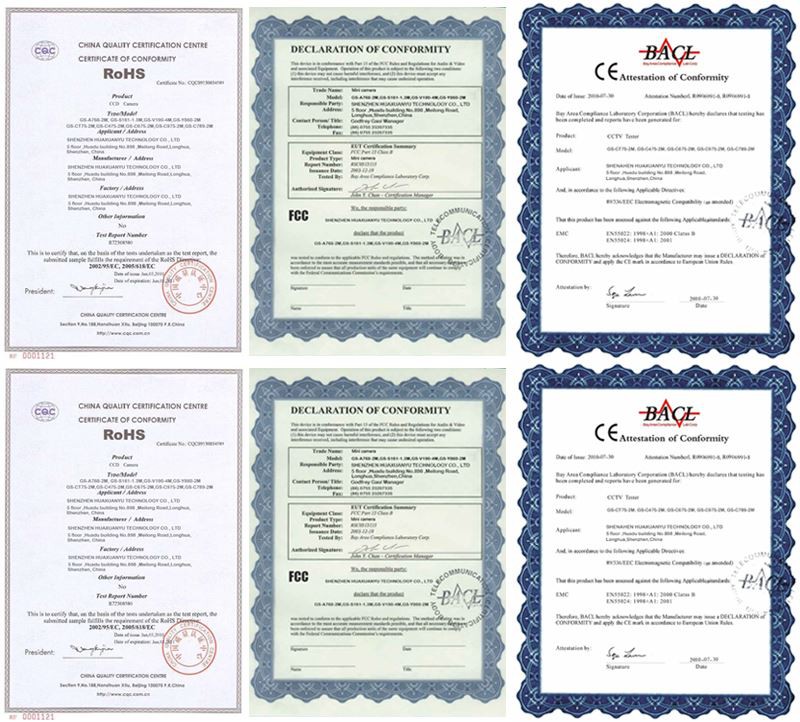
Our Certificate
Below are our certificate:
Our Factory
Below is our factory:



Frequently Asked Questions
Q: How do IP surveillance cameras work?
Q: What type of network connection will I need for an IP camera surveillance system?
Q: How long does a 128gb SD card last in a security camera?
Q: How many security cameras should a house have?
Q: How effective are home security cameras?
Q: Do security cameras work if the Wi-Fi is off?
Q: How many minutes of 4K video can a 128GB SD card hold?
Q: How much Wi-Fi does a security camera use?
Q: How much Internet do home security cameras use?
Q: Where is the best place to put a security camera?
Q: What are some flaws with home security cameras?
Q: Do you need Wi-Fi for a home security camera?
Q: Why can't I see my security cameras on my phone?
Q: How much memory do I need for a 4K camera?
Q: What is the power consumption of a CCTV camera?
Q: How many Wi-Fi cameras can a router handle?
Hot Tags: 1080p video surveillance outdoor, China 1080p video surveillance outdoor manufacturers, factory, wifi outdoor camera, poe ip camera, outdoor solar camera wireless, solar cameras outside, ptz solar, ip camera 4g solar